 Eugene Fox
3e137f6955
Eugene Fox
3e137f6955
* Updated actions versions for Edge and Chrome publishing

* Added conditions for CI jobs

* Updated workflow

* Possible fix for Chrome CI action
Password generator





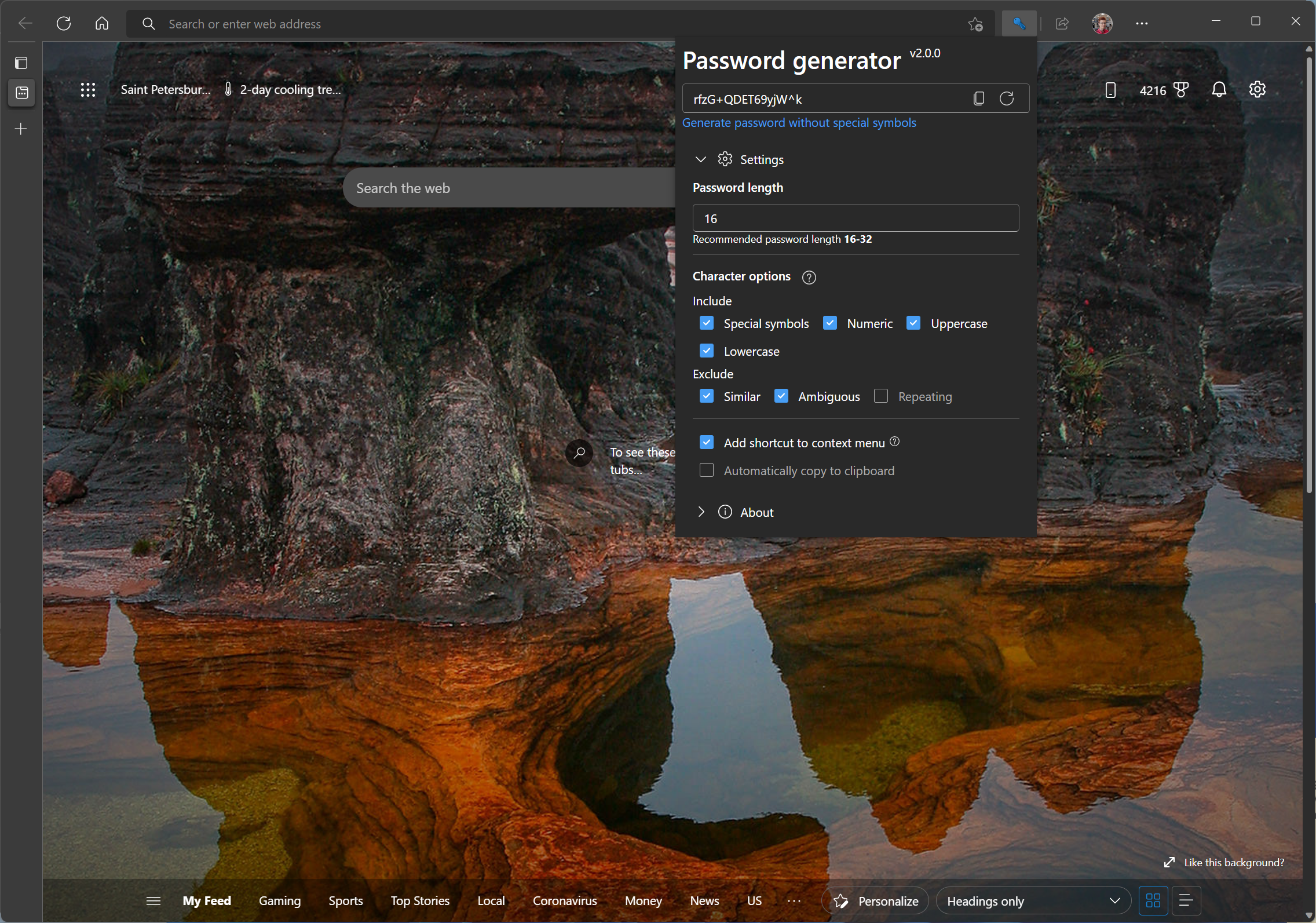
Extension for web browsers which helps you to easily generate strong passwords in one click
Features
- Create strong passwords in one click
- Customizable generator
- Clean and simple UI
- Dark mode
Languages
- English
- Ukrainian
- Polish
- Russian
- Portuguese (Brazil)
Download


Sideloading (for testing purposes only)
Click to expand
Chromium-based browsers (Edge, Chrome, etc.)
- Go to Releases and select a release to download
- Download attached archive for Chromium and unpack it
- Go to "chrome://extensions"
- Enable "Developer mode"
- Click the "Load unpacked" button and navigate to the extension's root folder (contains
manifest.json)- Done!
Firefox
- Go to Releases and select a release to download
- Download attached archive for Firefox and unpack it
- Go to "about:debugging#/runtime/this-firefox"
- Click the "Load Temporary Add-on..." button and select
manifest.josnfile in the root folder- Done!
Important! This will replace officialy installed version if you have one. If you want to sideload it without replacing to run both versions at the same time - before loading add-on, open
manifest.jsonin a text editor and changeidkey (it'spasswordgenerator@xfox111.netby default) to something else
Note: If you delete the extension folder it will disappear from your browser
Contributing



There are many ways in which you can participate in the project, for example:
- Submit bugs and feature requests, and help us verify as they are checked in
- Review source code changes
- Review documentation and make pull requests for anything from typos to new content
If you are interested in fixing issues and contributing directly to the code base, please see the Contribution Guidelines, which covers the following:
- How to deploy the extension on your browser
- The development workflow, including debugging and running tests
- Coding guidelines
- Submitting pull requests
- Finding an issue to work on
- Contributing to translations
Code of Conduct
This project has adopted the Contributor Covenant. For more information see the Code of Conduct
Copyrights
©2023 Eugene Fox
